Inventory events in SUPY (such as wastage, production, transfers) must be recorded using the correct unit of measurement. A common mistake occurs when users select the wrong unit — for example, recording 200 kg instead of 200 grams.
Because SUPY strictly follows the unit entered by the user, this type of error can dramatically distort stock levels and reporting.
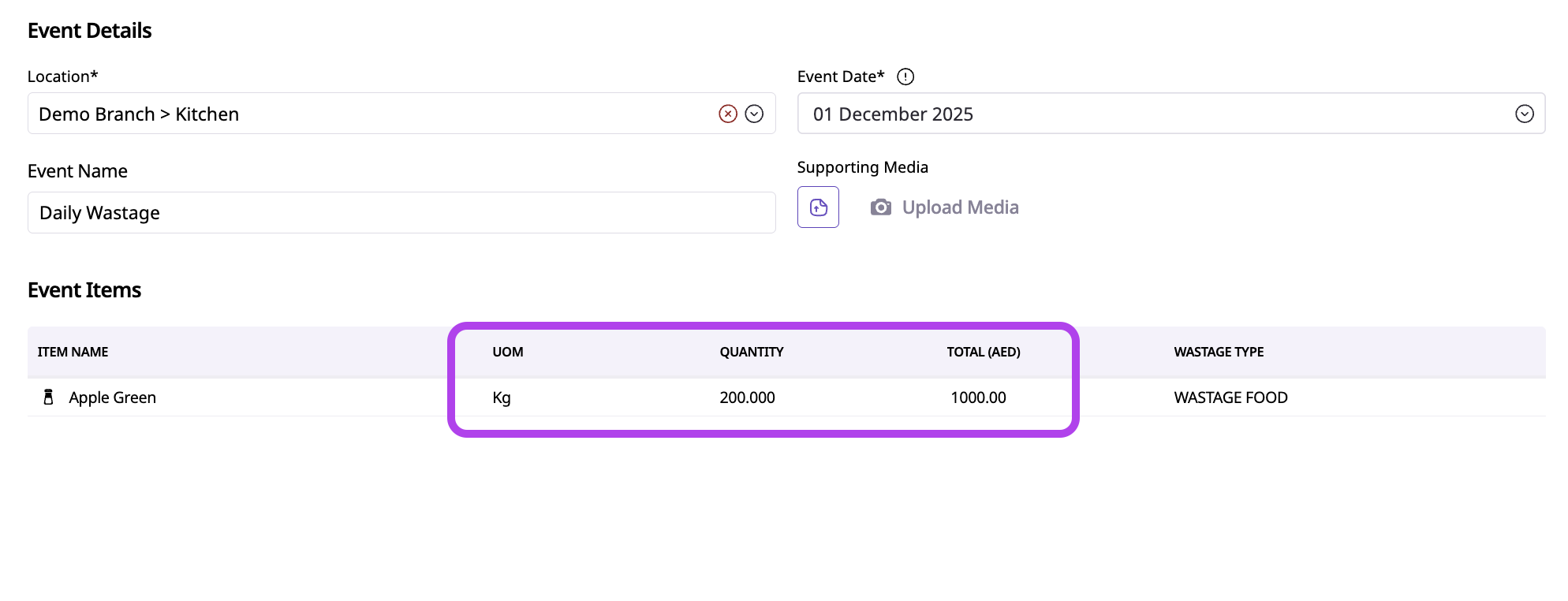

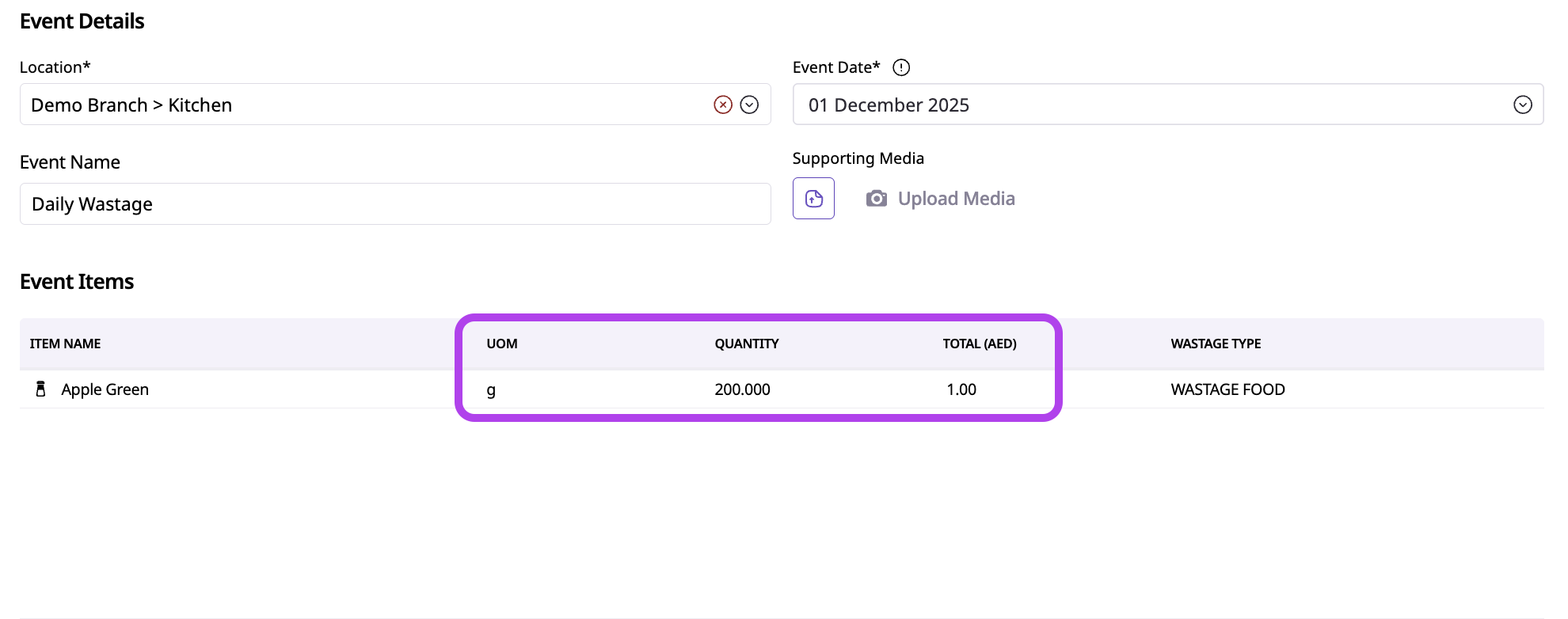

(Wrong UOM VS Correct UOM)
When inventory events are recorded using the wrong unit:
Large, unrealistic stock reductions or increases occur
Stock may instantly go negative or inflate significantly
Variance spikes sharply for the affected period
COGS becomes inaccurate
Teams lose trust in inventory data
SUPY processes the entry exactly as recorded — the system does not auto-correct unit mistakes.
You may notice:
Sudden, extreme stock movement on a single day
Very high variance caused by a single inventory event
Stock balances turning negative unexpectedly
Event quantities that look unusually large or small
Comments like: “We only wasted a little, but the system shows a huge amount”
In SUPY:
Inventory events allow users to select different units of measurement
The system converts the entered quantity into the item’s base unit
If the wrong unit is selected, SUPY applies the conversion exactly as configured
This typically happens when:
Users enter quantities quickly without checking the unit
Grams vs kilograms (or ml vs liters) are confused
Teams are not aligned on which unit should be used for each event type
Items have multiple available units, increasing the chance of selection errors
To prevent unit-related errors:
Standardize units per process
Define which units should be used for wastage, production, and transfers
Train teams on base units
Ensure users understand the item’s base unit and common conversions
Use smaller units for small quantities
For example, use grams instead of kilograms for minor wastage or adjustments
Encourage double-checking before saving
Especially for high-impact events like wastage and adjustments
Identify the incorrect inventory event
Reverse or correct the event (if permissions allow)
Re-enter the event using the correct unit and quantity
Review stock levels and variance after correction
Reinforce unit usage guidelines with the team involved
Important: Correct unit errors as soon as they are identified to minimize reporting impact.
If you see unusually large stock movements, always check the unit used before investigating deeper issues. Unit errors are often the simplest explanation.
Correct unit usage ensures:
Accurate stock movements
Reliable variance and COGS reporting
Faster issue resolution
Confidence in operational data
Even small unit mistakes can create very large reporting problems.
Related Articles