Inventory variance refers to the difference between the expected and actual amount of inventory. In the context of food service, it's the discrepancy between the theoretical food cost and the actual food cost.
Positive variance means you've spent less on food than anticipated, while a negative variance indicates higher-than-expected food costs.
Controlling inventory variance is crucial for maintaining profitability. A high variance can significantly impact your bottom line. Factors such as spoilage, theft, inaccurate portioning, and pricing errors can contribute to variance.
To calculate inventory variance, you must compare your theoretical food cost to your actual food cost. The formula is:
Inventory Variance = Actual Food Cost - Theoretical Food Cost
The theoretical food cost is determined by the cost of ingredients used in recipes multiplied by the number of items sold. The actual food cost is calculated by dividing the total cost of food purchased by total food sales.
Several strategies can help you reduce inventory variance:
Implement Strong Operating Procedures: Clear guidelines for receiving, storing, and using inventory can minimize discrepancies.
Prevent Theft: Employ security measures to protect your inventory from theft.
Utilize Inventory Management Systems: Automated systems can track inventory levels, identify discrepancies, and generate reports.
Control Portion Sizes: Accurate portioning ensures you're not overserving or underserving customers, which can impact food costs.
Regularly Review Inventory: Conduct physical inventory counts to compare actual stock levels with recorded amounts.
Analyze Food Costs: Regularly monitor food costs to identify trends and potential issues.
By carefully managing inventory and understanding the factors that contribute to variance, you can significantly improve your restaurant's profitability.
Variance reports help you identify discrepancies in your inventory and ensure data accuracy. Follow these points in investigating:
Navigate to the Dashboard and select Variance Analysis.
The variance analysis page highlights:
Uncontrolled Costs (positive or negative).
The variance percentage for each item.
Focus on the items with the largest variances and note their details.
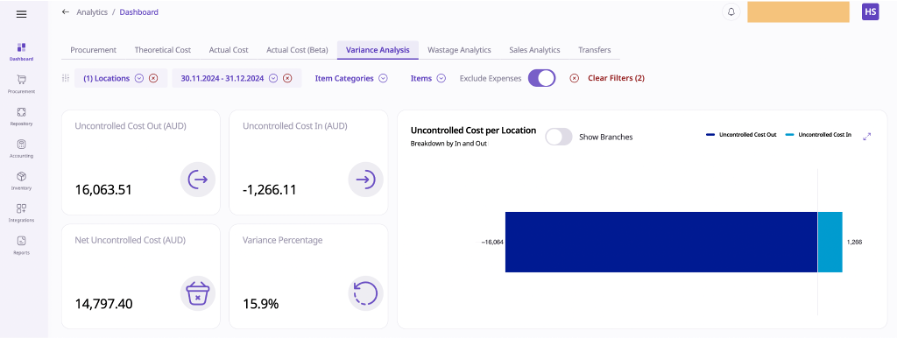

Locate items contributing significantly to variances.
Examine the On-Hand Quantity (theoretical value) against the Counted Quantity:
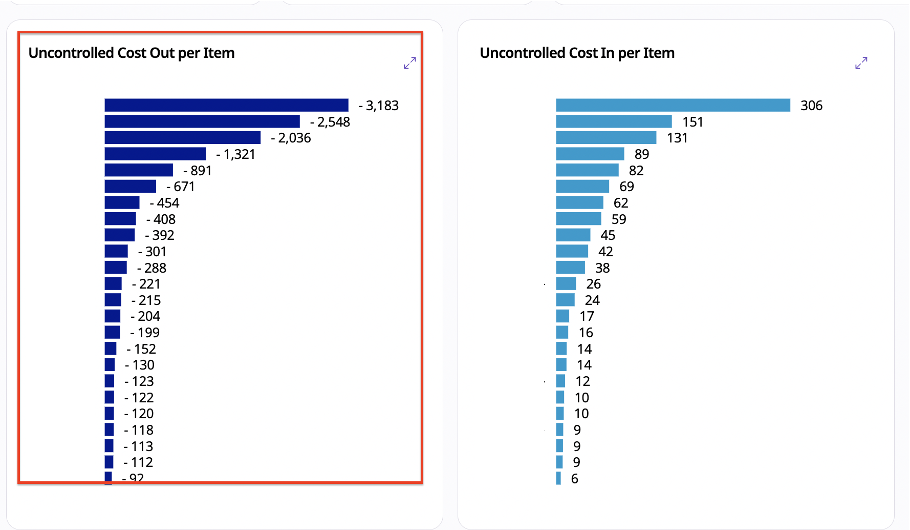
Go to the Inventory module and open the Stock page.
Use the Actions button to drill down into the transactions for the selected item.
Review all related transactions, such as purchases or stock movements, to identify:
Overestimated stocks are caused by frequent or large purchases.
Incorrect transactions increase the On-Hand Quantity.
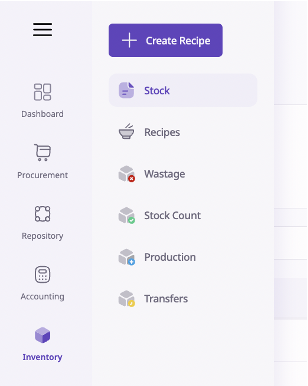
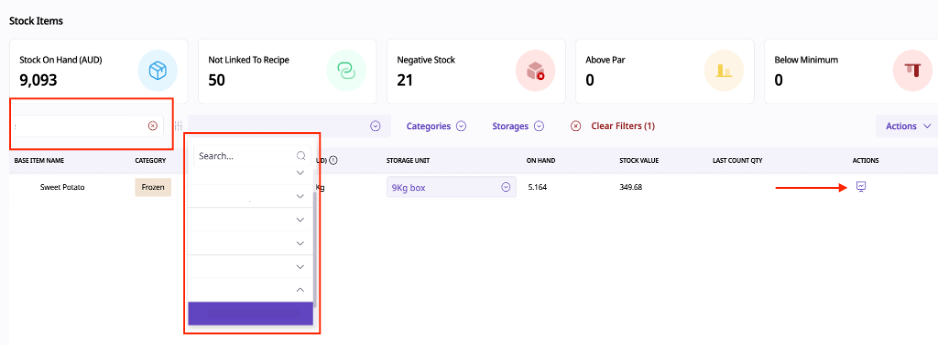
Go to the Inventory module and open the Stock page.
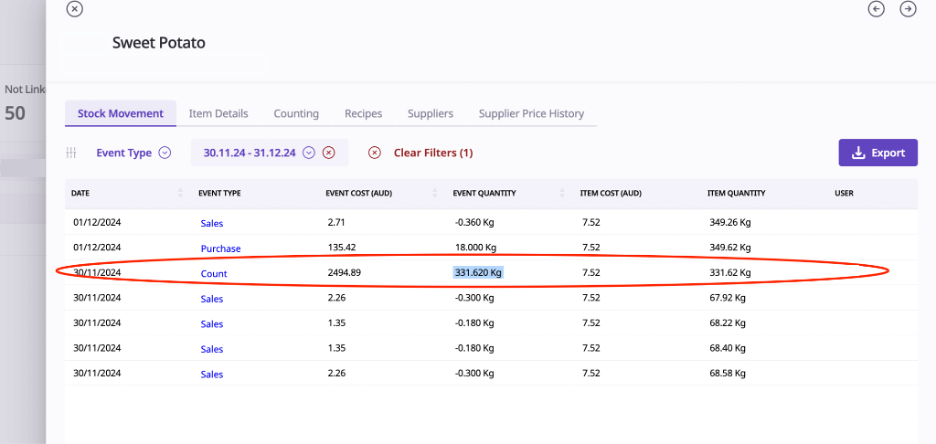
Reopen the count for the identified period and adjust the values.
Example from the screenshot:
A stock count shows 331 kg when it could be 33.1 kg.
If the stock count is correct proceed checking the Purchases.
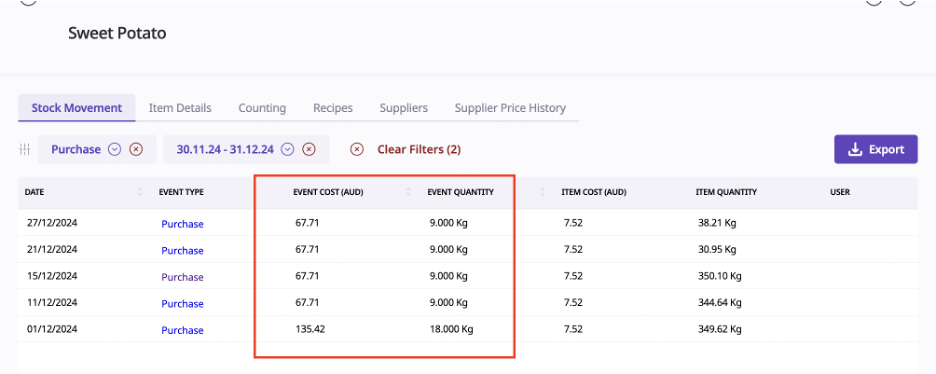
Confirm the frequency and quantity of purchases for the item.
Check that the purchase quantities align with costs.
If not aligned, the invoice creation may be inaccurate.
If discrepancies are found, select the incorrect invoice and modify it.
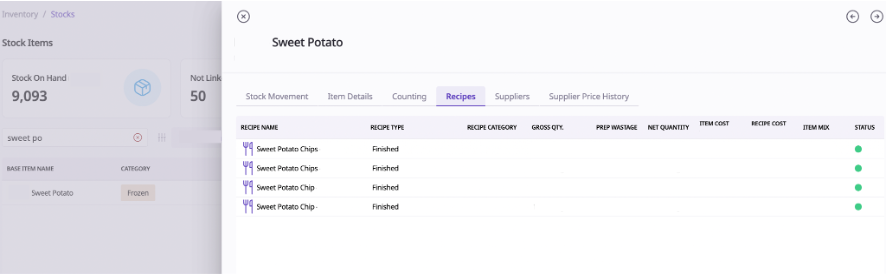
If no errors are found in stock counts or purchases, check the associated recipes.
Navigate to the Recipe section and verify:
Portion sizes (too small or too large).
Units of measurement (e.g., kg vs. grams).