Managing supplier currencies is useful if you operate across multiple geographies and need to issue Purchase Orders (POs) and Goods Received Notes (GRNs) in the supplier’s local currency, while keeping all reports and dashboards consistent in your system’s main default currency.
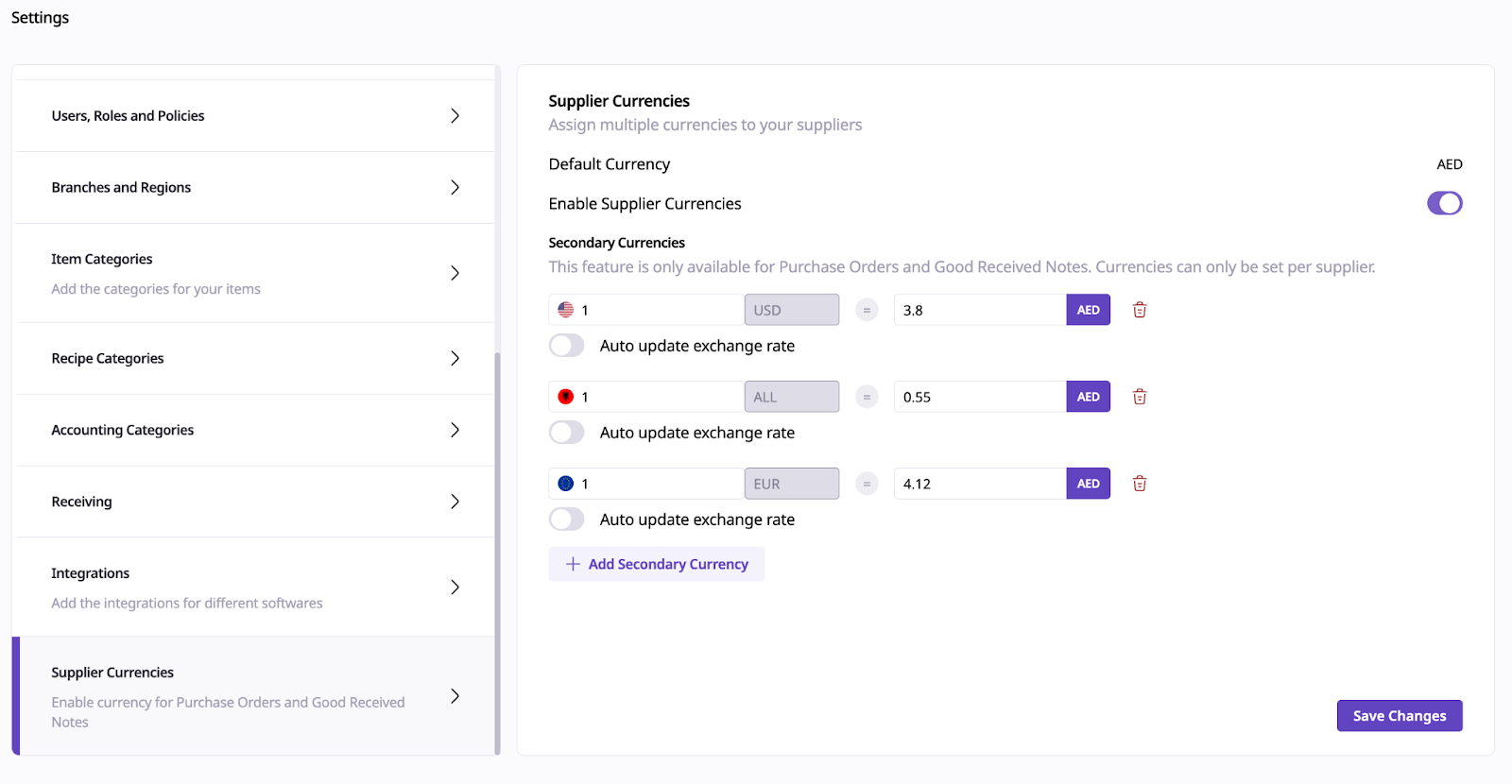
Navigate to Settings > Supplier Currencies.
From this page, you can:
Activate the currencies used by your suppliers.
Manually set exchange rates for each currency, or
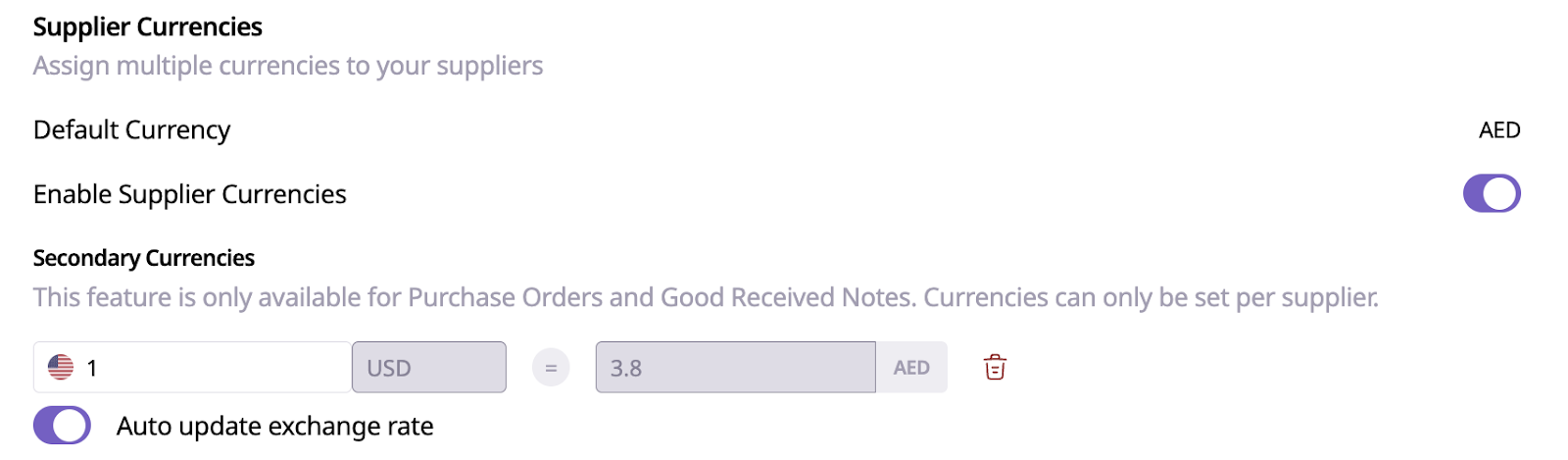
Enable auto-update exchange rate sync.
Important: When automatic sync is enabled, exchange rates are refreshed daily at 12:00 AM based on the group's local time zone.
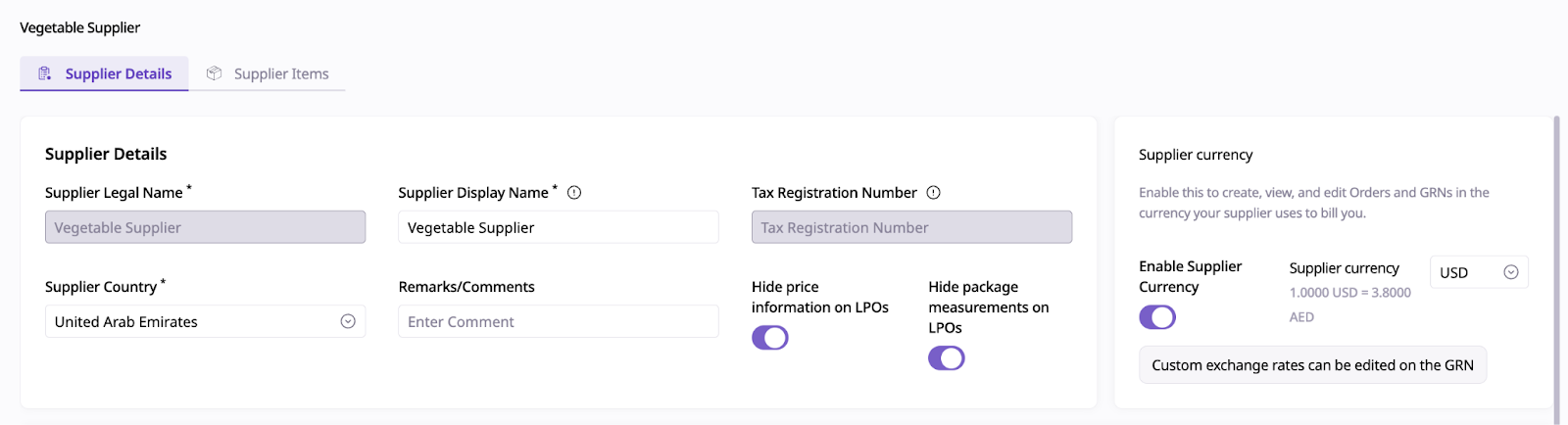
Go to your Repository > Suppliers.
Open the supplier profile you want to configure.
Toggle on Supplier Currency.
Select the currency that the supplier operates in.
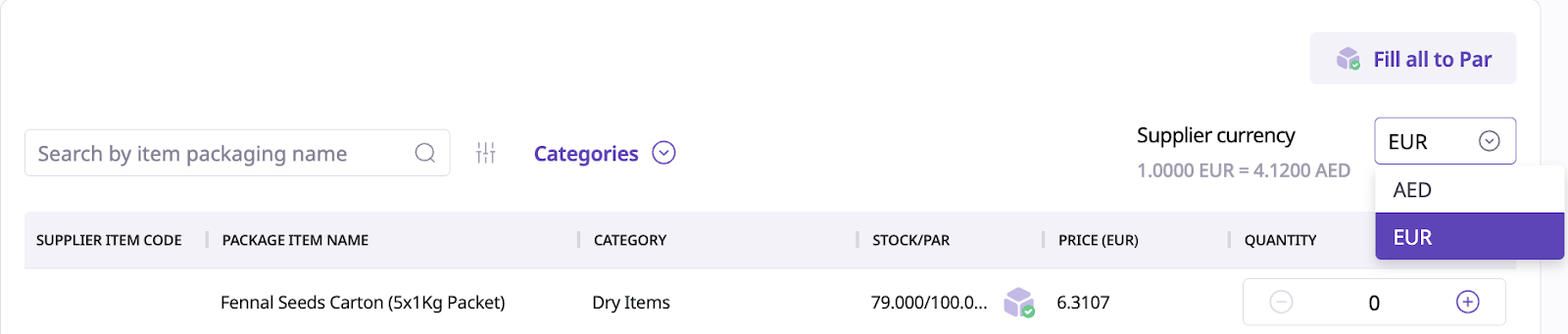
When creating a Purchase Order or recording a GRN for a supplier with an assigned currency, you’ll have two options:
Use the main system currency, or
Use the supplier’s activated currency.
This gives you flexibility based on how your supplier expects to be billed or paid.
Ordering
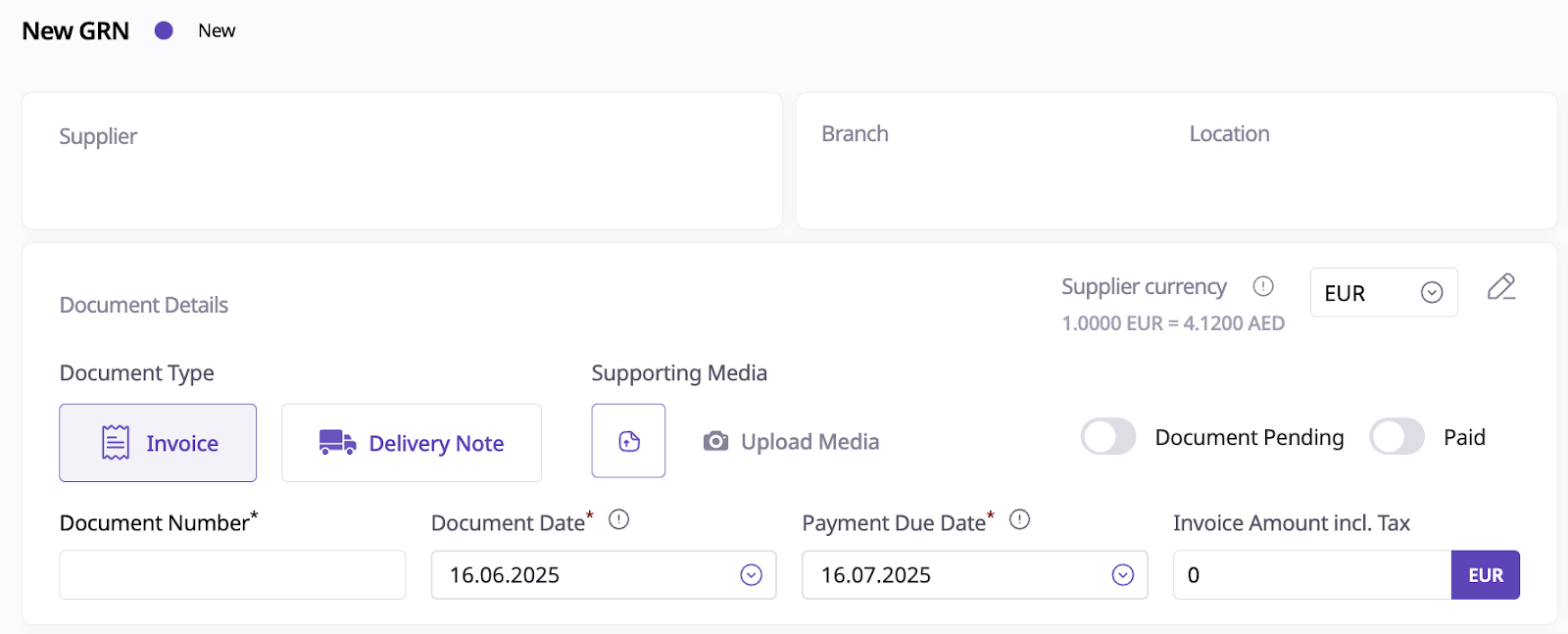
GRNs
Even if different currencies are used in POs or GRNs, Supy will automatically convert and store values using your main account currency.
All reports, dashboards, and overviews will reflect values in the main system currency for consistency and ease of comparison.