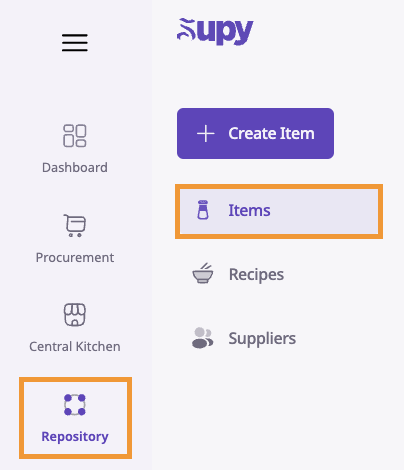
Go to your retailer portal, and access the item list by going to Repository -> Items
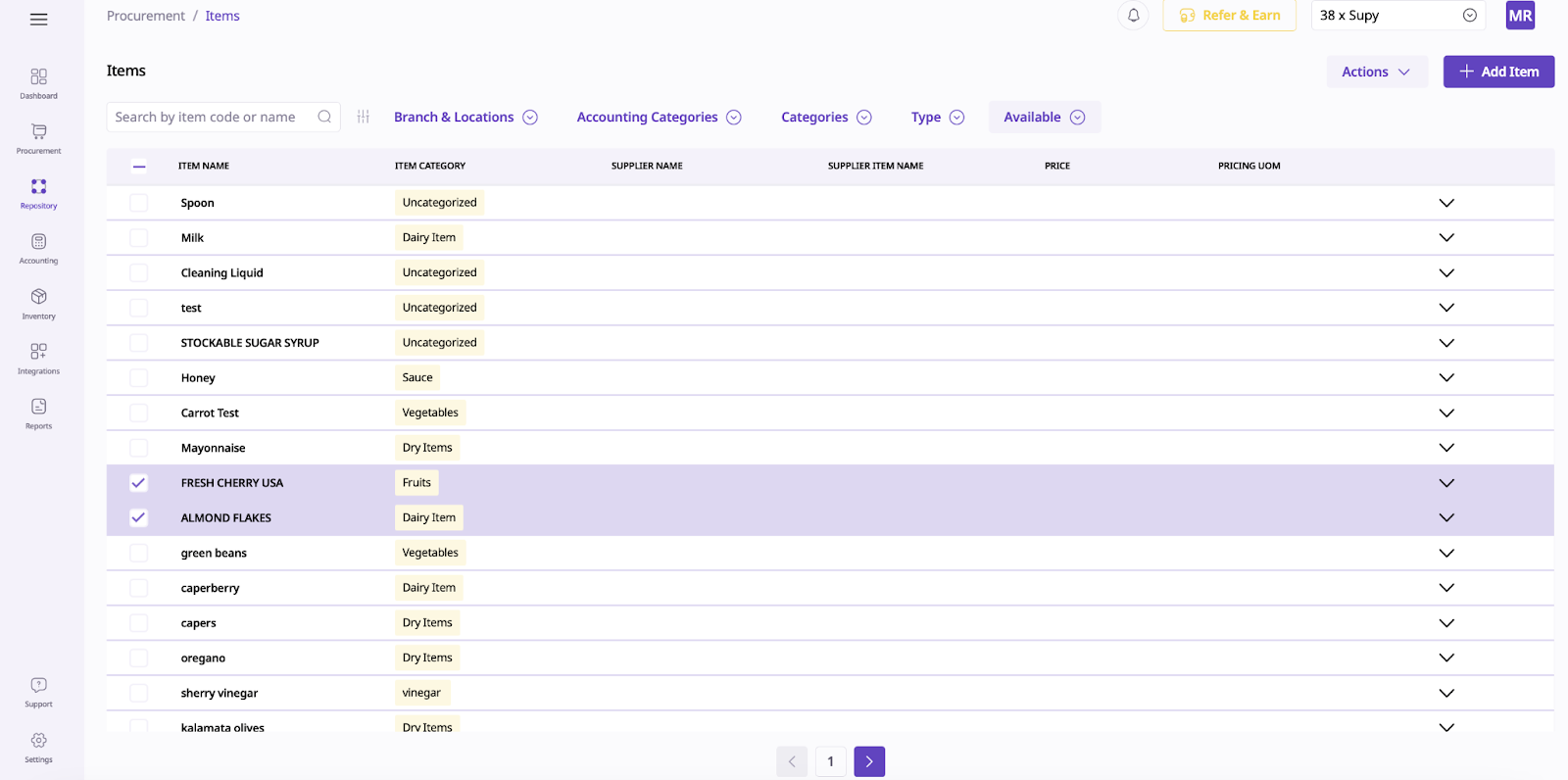
2. From there, you'll be able to access the list of all your items in the system.
3. Select which items you want to apply an action to, then go to the Actions button to apply a new action.
Streamline your inventory management with these powerful bulk actions:
Export
Extract and download data in bulk as Excel files for external analysis, reporting, or archiving
Enhances data accessibility and integration with external tools
Process: Select data, click Actions, then Export
Merge Items
Consolidate duplicate items to improve data accuracy and optimize inventory management
Simplifies databases, enhances search ability, and ensures reliable reporting
Process: Select similar items and merge into a single record
Add to Locations
Allocate multiple items to specific locations across branches or storage areas
Optimizes stock management and improves operational efficiency
Process: Select items and designate target locations
Replace Locations
Facilitate large-scale inventory transfers between branches or warehouses
Simplifies inventory management and ensures optimal stock distribution
Process: Select items and specify new destination locations
Change State
Update the status of multiple items (e.g., active, archived) to maintain accurate inventory records
Enhances inventory visibility and helps track item lifecycle
Process: Select items and specify desired state changes
Assign Categories
Organize inventory by assigning items to predefined categories and subcategories
Streamlines navigation and improves reporting accuracy
Process: Select items and assign to relevant categories
Assign Accounting Categories
Categorize items for accurate financial tracking and reporting
Ensures alignment with financial reporting requirements and regulatory compliance
Process: Select items and assign to predefined accounting categories
Set Par Levels
Establish minimum inventory thresholds to prevent stockouts and optimize stock levels
Enhances operational efficiency and minimizes disruptions
Process: Specify par levels for items to maintain optimal stock and automate replenishment
By leveraging these bulk actions, you can significantly improve your inventory management processes, enhance data accuracy, and streamline operations across your organization.